
Map Connect
Visualize your Attio company and person records on interactive maps with built-in clustering and navigation.
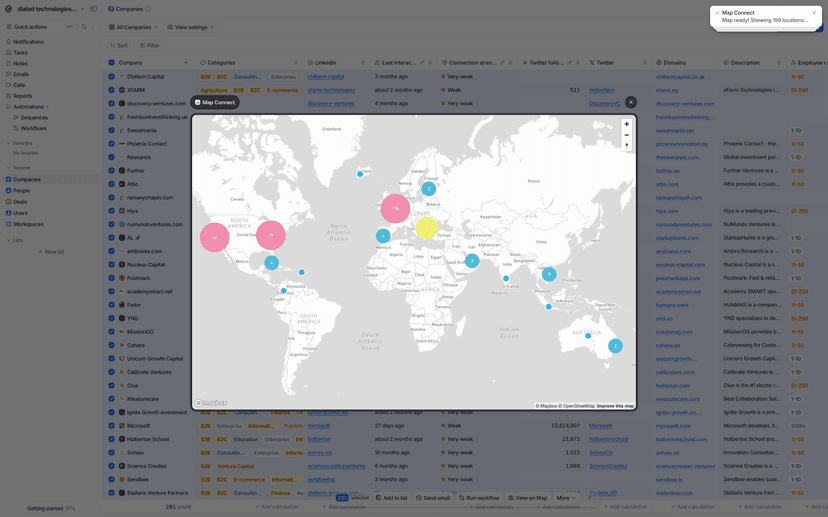
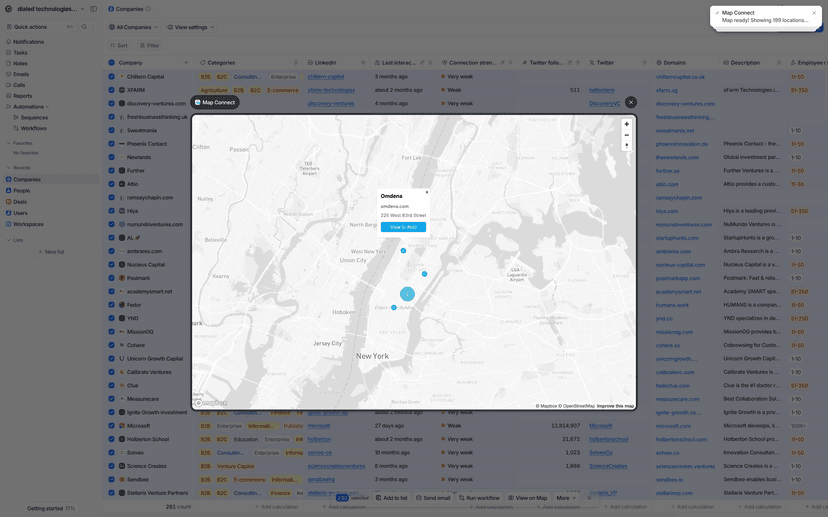
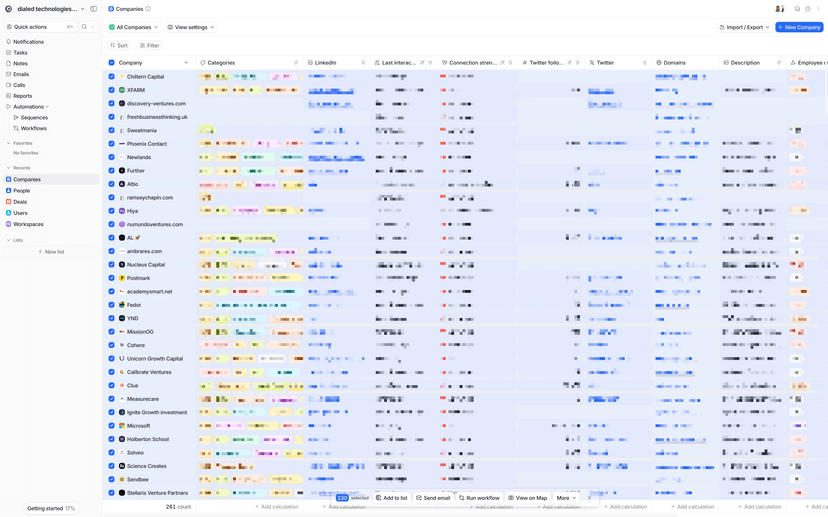
Visualize your Attio company and person records on interactive maps with built-in clustering and navigation. Select records from Company or Person list views and choose "View on Map" from bulk actions. Records with location data will appear as color-coded markers - blue for companies, orange for people - with clusters that expand when clicked to reveal individual entries. Detailed popups show company domains, person emails, and addresses for quick reference.
Interactive Map Visualization
Powered by Mapbox, view your Attio records on beautiful interactive maps. Select records from any Company or Person list view and choose "View on Map" from the bulk actions menu.
Automatic Clustering
Large datasets are automatically clustered for clean visualization. Click clusters to expand and reveal individual entries, making it easy to explore dense geographic areas.
Color-Coded Markers
Companies appear as blue markers, people as orange markers. Detailed popups show company domains, person emails, and addresses for quick reference and navigation.
Theme Adaptation
Maps automatically adapt to your preferred light or dark theme. Includes zoom controls, fullscreen mode, and responsive design for both desktop and mobile.
View on Map
bulk actionSelect records from any object with location data, then choose "View on Map" from bulk actions.
Sales Territory Planning
Visualize customer and prospect distribution to identify market gaps and plan territory assignments.
Customer Success Mapping
Map customer locations for optimal scheduling for regional events and on-site visits.
Market Analysis
Understand geographic distribution of leads and customers to plan targeted campaigns and expansion.
Event Planning
Find optimal locations for meetings and identify areas with high customer density for better engagement.
What You Need
- Attio account
- Mapbox account
- Mapbox public API token (starts with "pk.")
Step 1: Install from Attio
- Navigate to your Attio workspace settings and access the Apps section.
- Search for "Map Connect" and click Install.
Step 2: Configure Mapbox
- Sign up for a free Mapbox account at mapbox.com.
- Copy your public token (starts with "pk.") and add it to the Map Connect connection settings.
Step 3: Start Mapping
- Go to any Company or Person list view, select records with location data, and choose "View on Map" from bulk actions.
Ready to get started with Map Connect?
Install Map Connect and connect it to your Attio workspace.